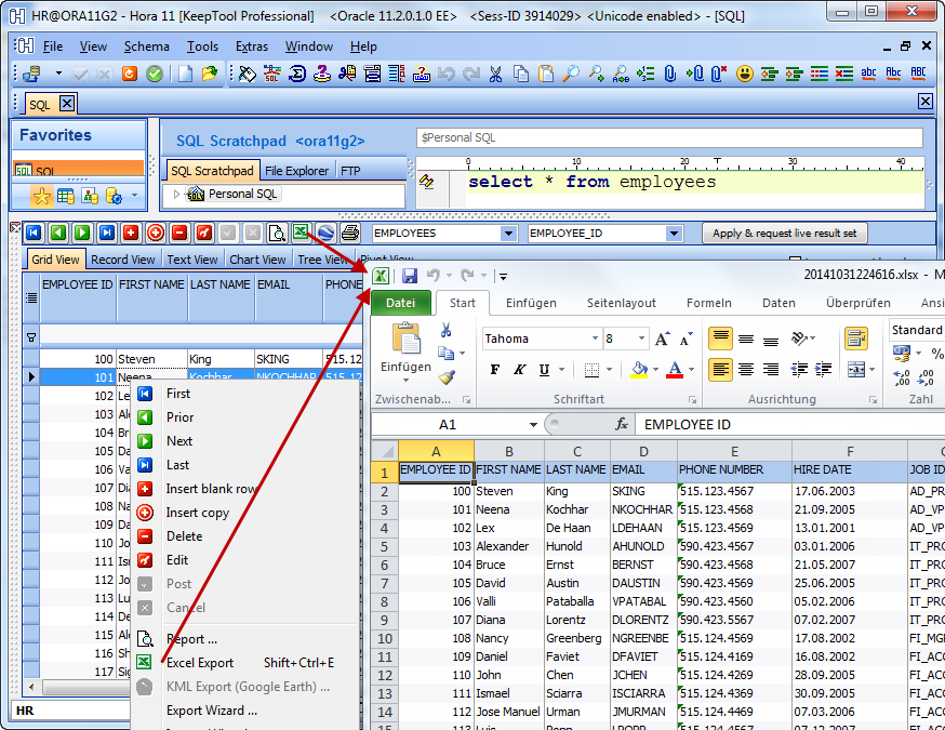
The ability to export data to Microsoft Excel has long been a powerful feature of KeepTool, available via both a toolbar button and context-menu commands.
In the latest release, you can perform the Excel export from almost any grid using a simple shortcut: Shift + Ctrl + E. Just make sure the data grid has focus (click inside it), then press the three keys — your .xlsx file will be generated and automatically opened in Microsoft Excel (provided a licensed version is installed).
Exporting Data Content to Excel
How the Shortcut Helps in Support Scenarios
In many organisations, Excel has become the standard tool for exchanging data between support staff and business users. For example:
A business user reports a potential data inconsistency and sends a ticket with a brief description and a screenshot.
A support consultant, connected via VPN, uses Hora to query the affected data.
With Shift + Ctrl + E, the consultant exports the result grid directly to Excel and attaches the file to the support ticket.
The business user opens the file, reviews the data, highlights or changes values, and adds comments.
Once both sides agree, the corrected data can be re-imported into the database via KeepTool.
What the Export Looks Like
Let’s see this in action. In the Oracle HR sample schema, we run a query on the EMPLOYEES table filtered by high salary.
We then:
Hide non-relevant columns.
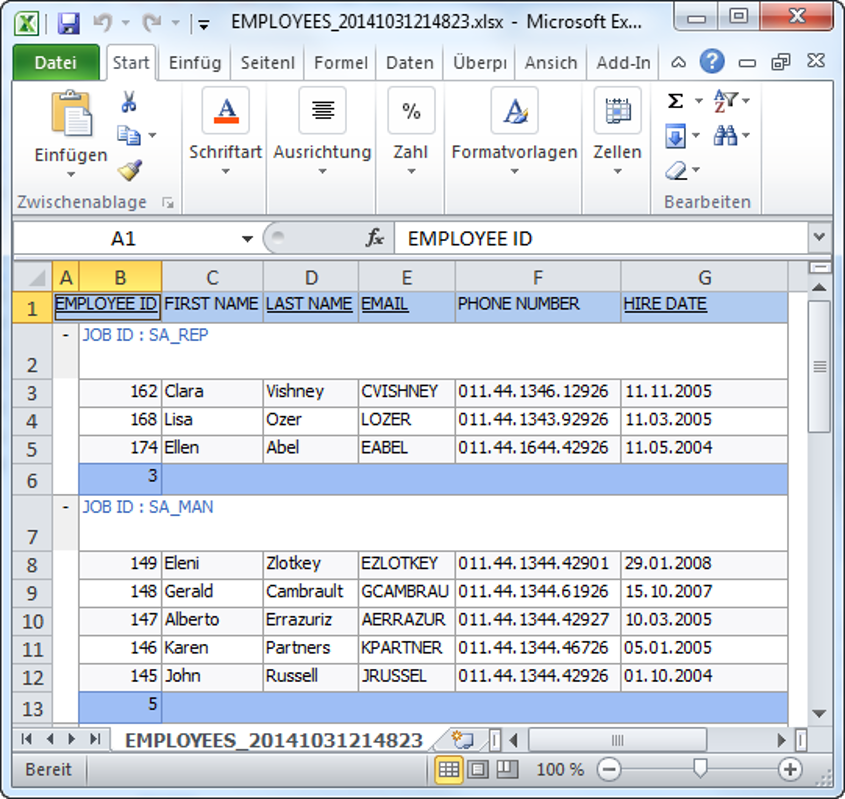
Enable in-memory grouping by JOB_ID.
Use the context menu to activate the count display for both group footers and the total footer.
Grouped Data Content View and Column Visibility
Now press Shift + Ctrl + E to export the data.
The resulting Excel output mirrors the grid view — including grouping, totals, and formatting.
Grouped Excel Export for a Selection of Columns
Although most exports are performed from the Data Content or SQL Result grids, this Excel export works from nearly any grid in Hora.
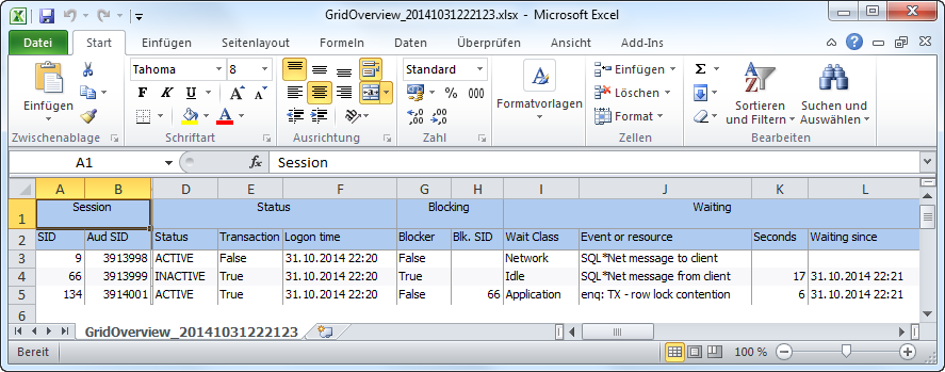
For example, you can also export the Session Overview grid from the DBA tools and share it with colleagues instead of taking screenshots.
Excel Export of Hora’s Oracle Session Monitor Data
Try It Out Today!
Discover how KeepTool makes working with Oracle and Excel faster than ever — with just one shortcut.
➡️ Try KeepTool for free
KeepTool's Oracle tools are designed specifically for developers, DBAs, and support teams.
Based on over 25 years of experience, we continuously optimize our software to make your database analysis and documentation faster, more efficient, and clearer.